Avilo Android beta

Violin practice app for Android

Practise the violin with an app that hears every note

Avilo listens while you play and spots a note that is sharp, a beat you rushed, a shift that overshot, a bow stroke that faded. It shows them on the score, then plans the next day's practice.
  • From first position to the fifth and beyond
  • No account
  • Your sound never leaves your phone
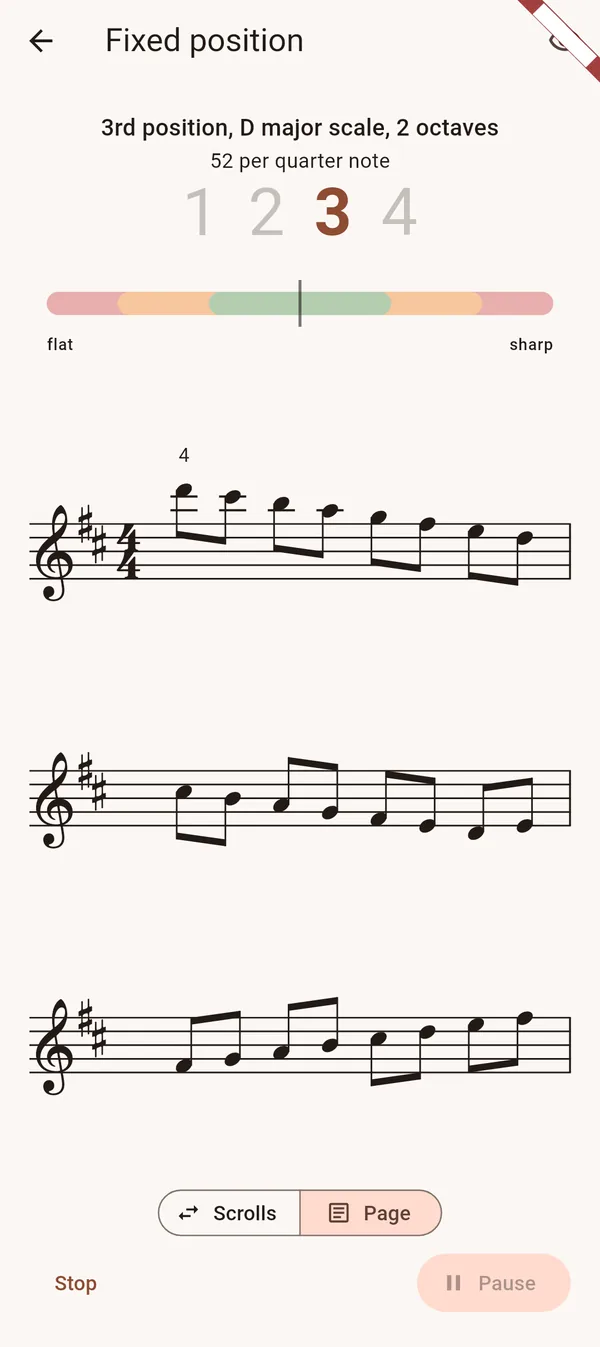
Avilo while a D major scale is played in third position: the intonation gauge and the page of the scale
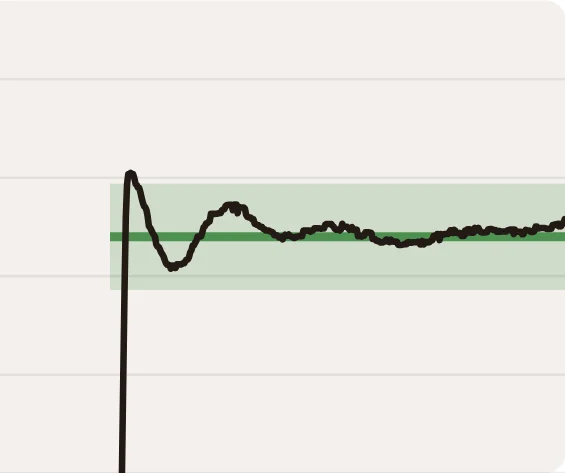
A shift, as Avilo hears it
The pitch curve of a shift in Avilo: it rises from the lower note, passes above the target, and settles inside the green band in 0.08 seconds

The green band: the target note and its tolerance.

Avilo in numbers

  • 280+stages, from the first finger on the string to the fifth position
  • 53programmes across 14 themes, inspired by the violin methods
  • 116tunes, studies and pieces from public-domain editions

A complete practice session

A tuner checks one note at a time. Avilo has you work on one gesture at a time, at your level, until it is acquired.

A new series each time

Avilo writes a new series each time: it changes the key, the string, the finger, the rhythm, the bowing or the position. A stage is acquired after three different series played well.

Learn more

It hears the gesture too

The pitch curve shows how you reach the note: a shift that overshoots then comes back, a vibrato that narrows. The volume curve shows a bow stroke that fades before its end.

Learn more

Intonation as violinists play it

Violinists do not always play in equal temperament. Avilo judges double stops against pure intervals and accepts melodic intonation in scales, with a tolerance suited to your level.

Learn more

A programme for every gesture

14 themes, 53 programmes and close to 280 stages, inspired by the classic violin methods. They go from the first finger on the string to the fifth position, artificial harmonics and the Viotti stroke.

Learn more

Your own sheet music

Import your sheet music, play it with the metronome or let Avilo wait for you note by note, find the bars that are not ready, set the date of the concert. A simple editor lets you correct fingerings, notes and bowings.

Learn more

A daily plan that adapts

Twenty, thirty or forty minutes, built every day from your programmes: the sound, a scale, what you are learning, a review, then music. Exercises that went wrong come back on the following days.

Learn more

A tuner, a lesson app, and Avilo

Each has its use. Here is what Avilo adds.

A tunerA lesson appAvilo
Exercises NoneFixed lessons, the same each timeA new series each time
What it hears The pitch of one noteWhether a note is right or wrongEvery note, and the gesture: shift, vibrato, bow stroke, pulse
Intonation Equal temperamentUsually equal temperamentPure intervals in double stops, melodic intonation accepted in scales
Level —Mostly beginnersFrom beginner to advanced (fifth position and beyond)
Your own music —Its own catalogueYour sheet music in MusicXML, practised bar by bar up to the date of the concert
Your practice —A course to followA session prepared every day, where the exercises that went wrong come back

After every series

The detail of each series

When the series ends, Avilo shows what happened: where you rushed, which shift overshot, which stroke faded. Touch a note to see its result.
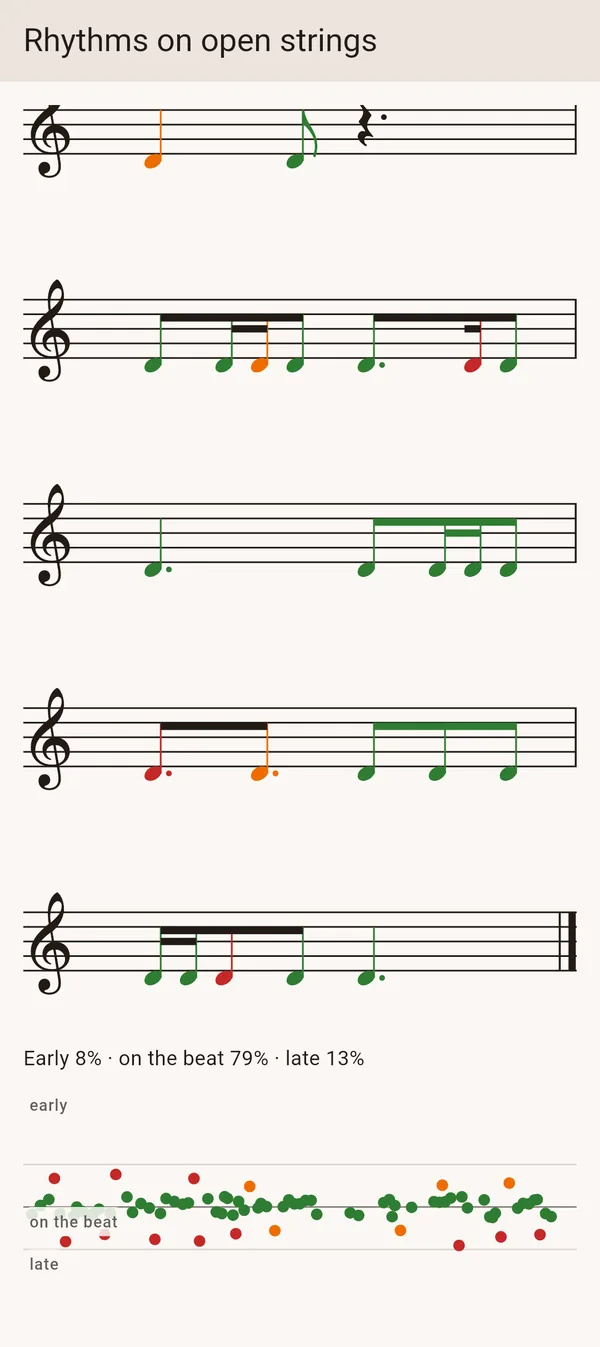
  • Rhythm: each note early, on the beat or late, on a chart
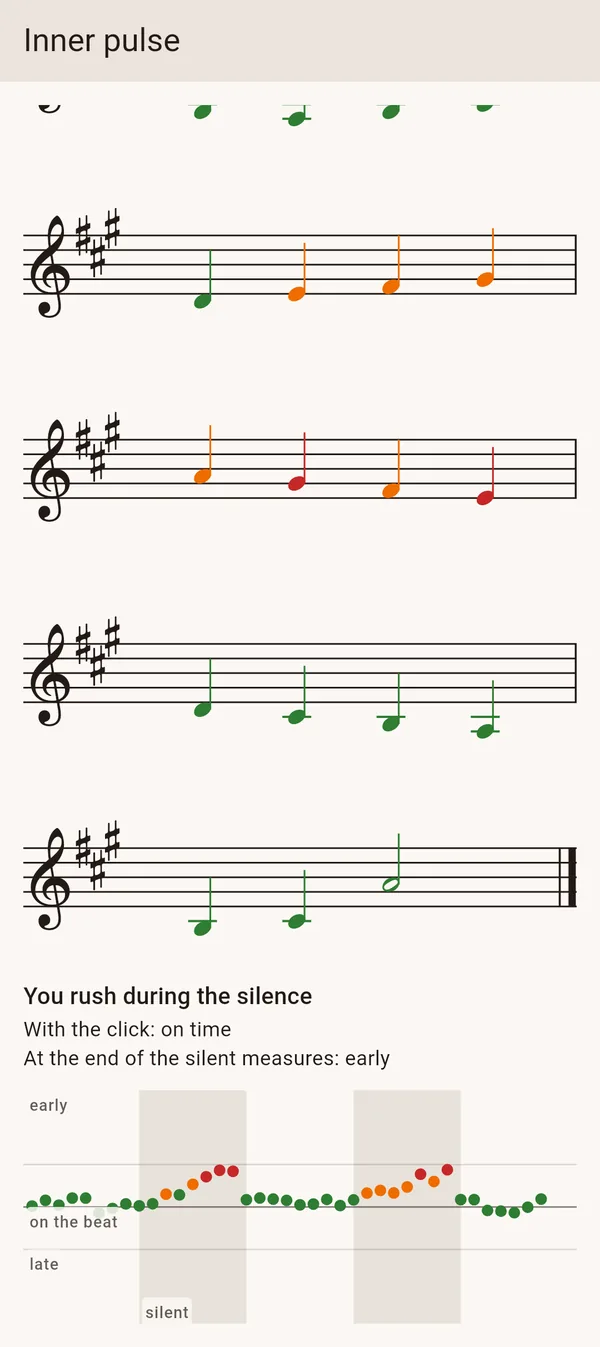
  • Pulse: whether you rush or drag when the metronome goes silent
  • Shifts: the curve of each one, with the overshoot and the arrival
  • Bow: the volume of each stroke, which stays even, swells or fades
  • Intonation: each note in cents, and whether you tend to play sharp or flat
See what Avilo measures in rhythm
The result of a pulse exercise in Avilo: on time with the metronome, rushing during the silent bars, each note on a chart
The result of a rhythm exercise in 6/8 in Avilo: 8 % early, 79 % on the beat, 13 % late, each note on a chart

Your own sheet music

From the first reading to the concert

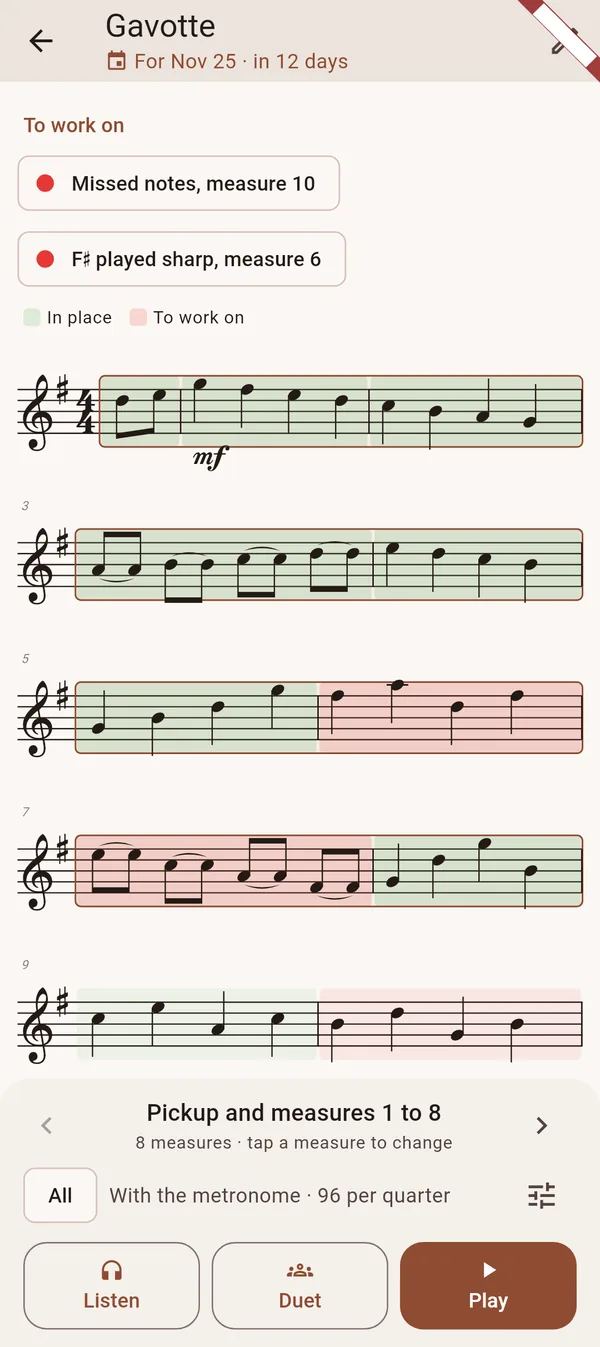
Bring the piece your teacher gave you, or play one of the studies and pieces of the app. Avilo can play it with you and, after each playing, marks the bars that went well and those to work on.
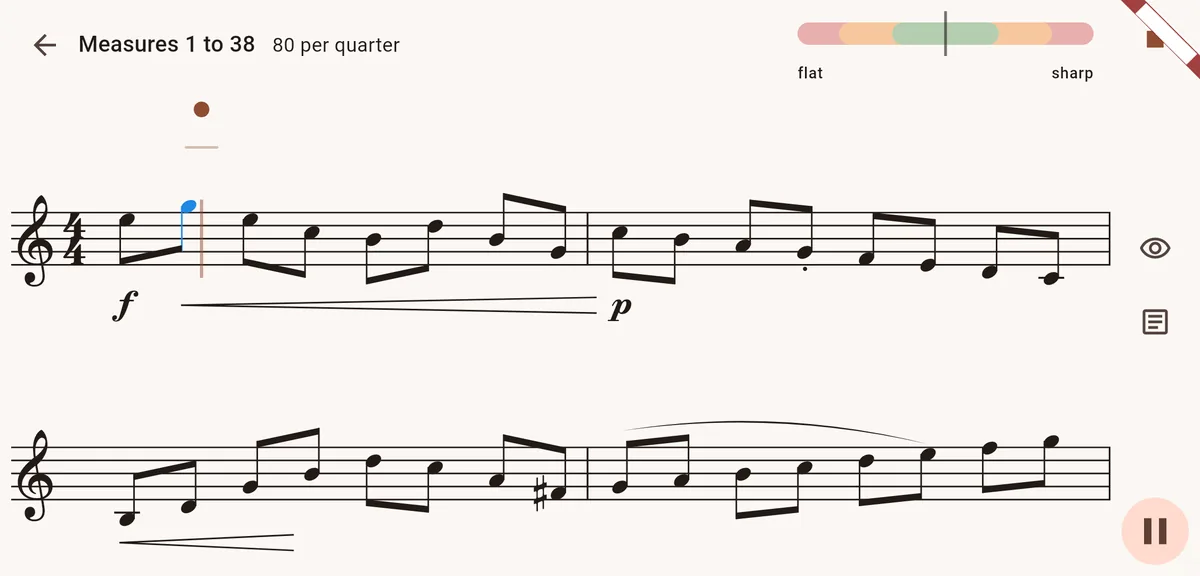
  • Import your score as MusicXML from MuseScore or another notation app
  • Play with the metronome, or let Avilo wait for you note by note
  • Each bar marked in place, fragile or to work on, and a drill on each weak place
  • Set a date: the piece goes into your daily session until the concert or the lesson
  • An easy editor: fingerings, notes, lengths, bowings, slurs
  • Turn the phone sideways: a large page you can read from the stand
Practise your own sheet music
A Kayser study played in Avilo, the phone held sideways: two large lines of the page and the intonation gauge
A gavotte in Avilo prepared for a concert on 23 November: the bars to work on in red, the bars in place in green
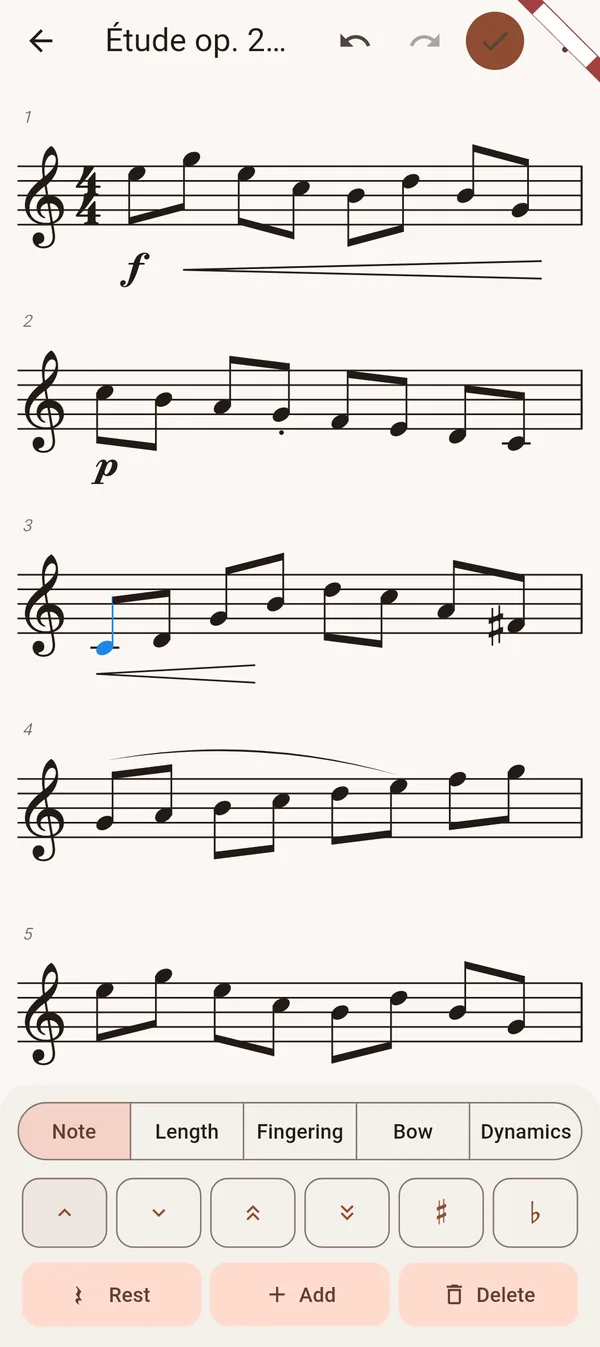
The score editor of Avilo: a note selected, the buttons to move it, change its length or add a rest

Every day

You open the app, the practice is ready

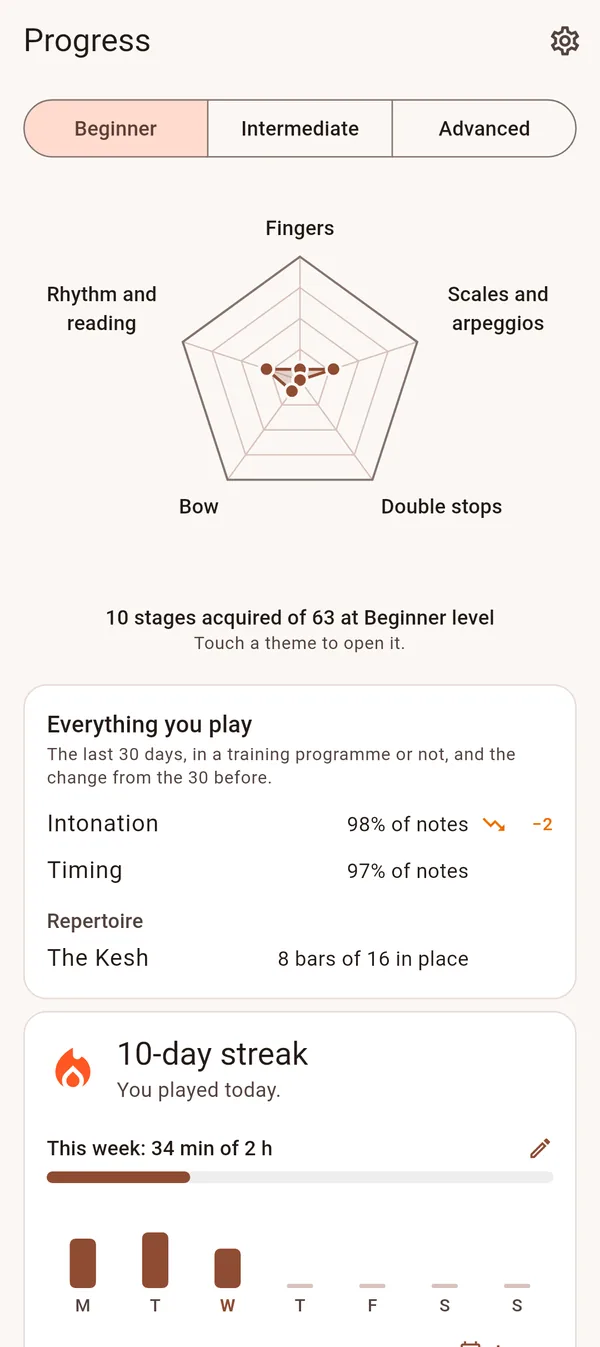
Avilo puts together today's session from the programmes you chose, and keeps the score of what you did: notes in tune, notes in rhythm, the streak of days, the minutes of the week.
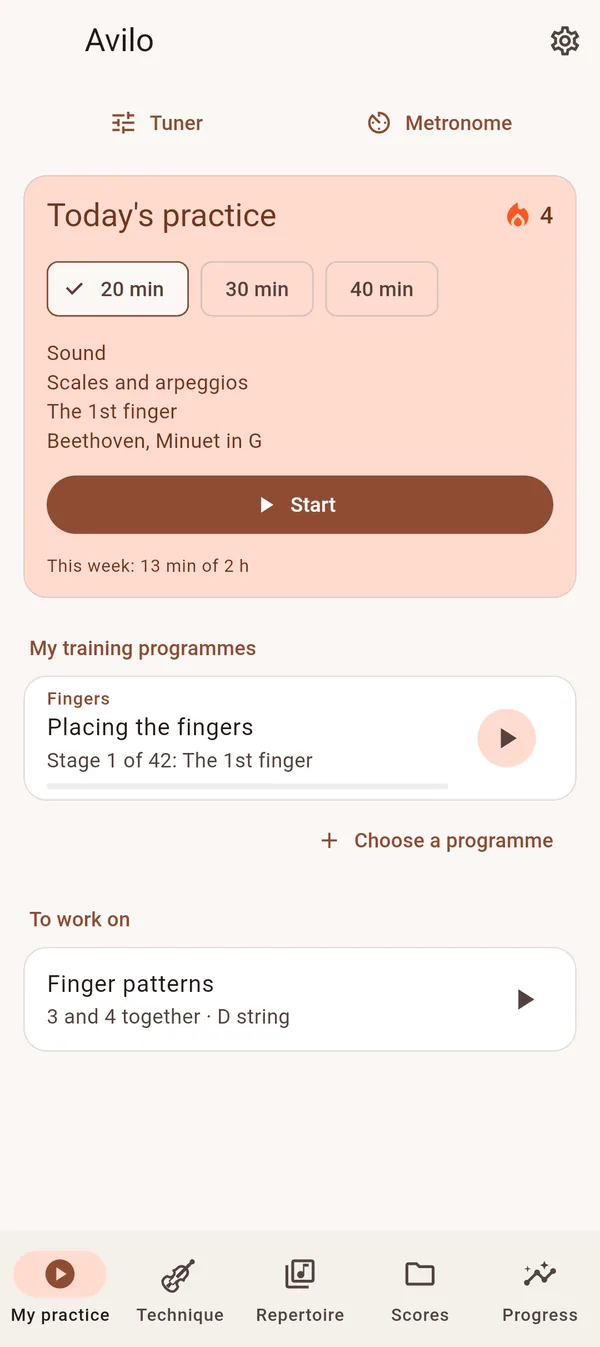
  • 20, 30 or 40 minutes in four to six exercises
  • The tempo climbs series after series up to the target tempo
  • A review every third day, so you do not forget what you learnt
  • A progress chart by branch: fingers, scales, bow, double stops, rhythm and reading
The daily plan
Today's practice in Avilo: 20, 30 or 40 minutes, the programmes followed, the exercise to work on
The Progress tab of Avilo: a chart by branch, intonation and rhythm over 30 days, a 10-day streak

Technique

14 themes of technique

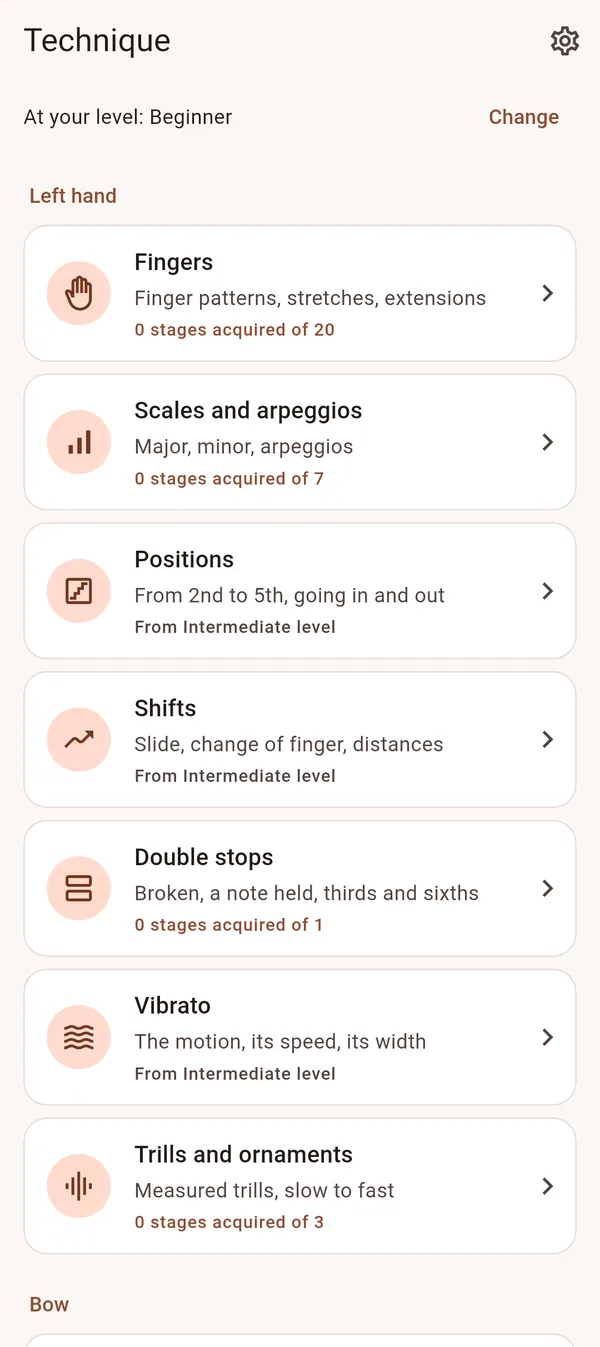
Fingers, scales and arpeggios, positions, shifts, double stops, vibrato, trills, sound, string crossings, slurs, bow strokes, rhythm, pulse and sight-reading. Each theme is cut into short chapters, beginner to advanced, in the order of the methods.
  • Stages inspired by Ševčík, Schradieck, Flesch and Hřímalý
  • Each stage explains what to do and what Avilo listens to
  • Follow one chapter, or several at once
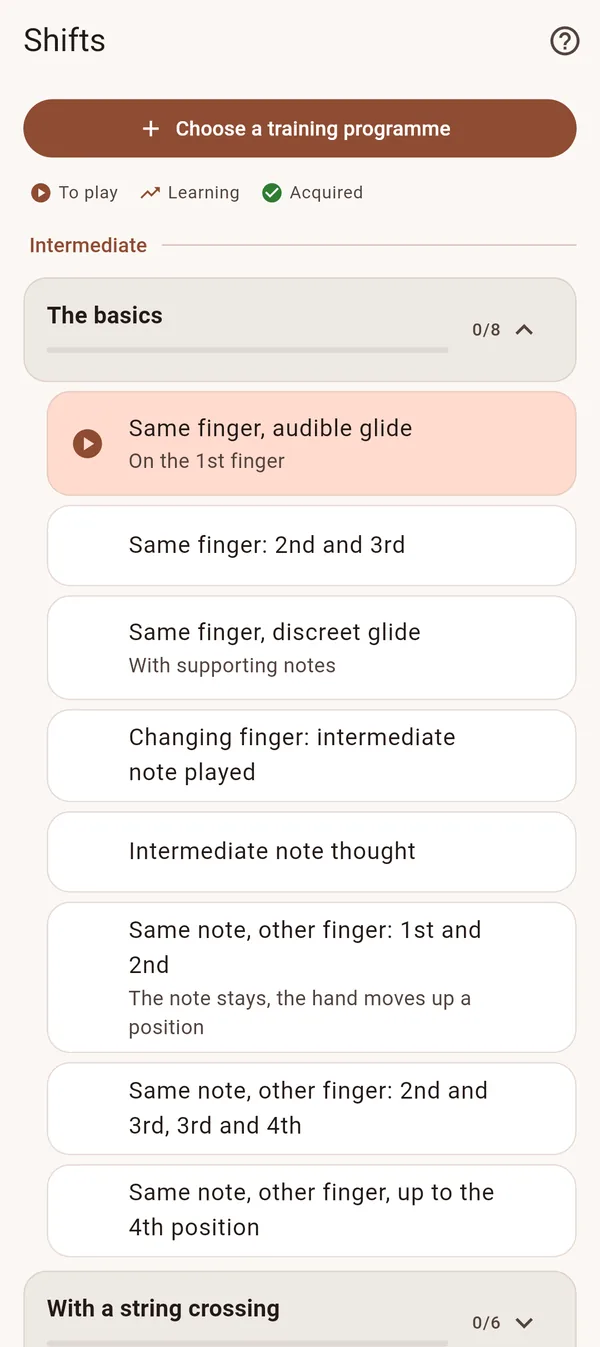
See the shifts programme
The Technique tab of Avilo: fingers, scales, positions, shifts, double stops, vibrato, trills
The shifts programme in Avilo: the basics, then with a string crossing, stage after stage

Free to start

Free

For as long as you like

  • The first stages of every programme, at every level
  • A daily plan of 20 minutes
  • Tuner and metronome
  • Two tunes, three studies, and one score of your own

Premium

Seven days free, then monthly or yearly

  • Every stage of every programme
  • Daily plans of 30 and 40 minutes
  • Every tune, study and piece, and all your scores
  • The work on your weak spots, and every setting of each exercise

Subscriptions are handled by Google Play and can be cancelled there at any time.

Music to play from the first week

  • 65folk tunes and songs
  • 23studies: Kayser, Wohlfahrt, Mazas, Kreutzer, Sitt
  • 28pieces: Bach, Vivaldi, Rieding, Beethoven, Paganini

All from public-domain editions and sorted by level. The bars where you get stuck become exercises.

What a microphone cannot see

Avilo hears pitch, rhythm, and the volume of your sound. It cannot see your bow hold, your contact point, your posture or the tension in your shoulders. For those, a teacher is irreplaceable; Avilo is there for the six days between two lessons, or for the violinist who plays alone and wants to keep progressing.

Questions violinists ask

Who is Avilo for?

For violinists who already play a little and want to keep progressing: from first position to the fifth and beyond, adults and teenagers, alone or between two lessons. A complete beginner can start too, ideally with a few lessons to learn how to hold the violin and the bow.

Does Avilo work on iPhone?

Not yet: Avilo comes on Android first. Leave your email and we will tell you when the iPhone version is out.

Do I need headphones or an external microphone?

No. Avilo listens through the phone's own microphone. Put the phone on the music stand, a little away from the violin.

Is my playing recorded or sent anywhere?

No. Avilo listens to your violin on the phone itself, as you play, and the sound never leaves it. Recordings you make yourself stay on the phone until you delete them. Avilo asks for no account and receives none of your data.

Can I learn the violin as an adult?

Yes. Adults progress well with short, regular, focused practice, which is exactly what a daily plan of 20 to 40 minutes gives. The first months are about the sound and intonation; Avilo listens to both on every note.

All the questions

Try Avilo

Avilo is in beta on Android. Join it, or leave your email to hear when it comes out on iPhone.